We use cookles to Improve your online experience. By continuing browsing this website, we assume you agree our use of cookies.
Home > Phone Repair Tools > Power Supply Tools > DC Power Supply > Fonekong 8 in 1 DC Power Supply Phone Voltage Current Detect Tool Short-circuit Diagnostic Tester One-button Boot On

Fonekong 8 in 1 DC Power Supply Phone Voltage Current Detect Tool Short-circuit Diagnostic Tester One-button Boot On

SKU:
0.0 (0)
1 Sold
$125.00 $0.00
Received successfully
Coupon Code
CONTINUE SHOPPING
    Please select the information you want X
  • Type:
    220V/EU plug
    220V/AU plug
    220V/CN Plug
    220V/UK Plug
Quantity:
  • Fonekong 8 in 1 DC Power Supply Phone Voltage Current Detect Tool Short-circuit Diagnostic Tester One-button Boot On
  • Fonekong 8 in 1 DC Power Supply Phone Voltage Current Detect Tool Short-circuit Diagnostic Tester One-button Boot On
  • Fonekong 8 in 1 DC Power Supply Phone Voltage Current Detect Tool Short-circuit Diagnostic Tester One-button Boot On
  • Fonekong 8 in 1 DC Power Supply Phone Voltage Current Detect Tool Short-circuit Diagnostic Tester One-button Boot On
  • Fonekong 8 in 1 DC Power Supply Phone Voltage Current Detect Tool Short-circuit Diagnostic Tester One-button Boot On
  • Fonekong 8 in 1 DC Power Supply Phone Voltage Current Detect Tool Short-circuit Diagnostic Tester One-button Boot On
  • Fonekong 8 in 1 DC Power Supply Phone Voltage Current Detect Tool Short-circuit Diagnostic Tester One-button Boot On
  • Fonekong 8 in 1 DC Power Supply Phone Voltage Current Detect Tool Short-circuit Diagnostic Tester One-button Boot On
  • Fonekong 8 in 1 DC Power Supply Phone Voltage Current Detect Tool Short-circuit Diagnostic Tester One-button Boot On
  • Fonekong 8 in 1 DC Power Supply Phone Voltage Current Detect Tool Short-circuit Diagnostic Tester One-button Boot On
  • Fonekong 8 in 1 DC Power Supply Phone Voltage Current Detect Tool Short-circuit Diagnostic Tester One-button Boot On
  • Fonekong 8 in 1 DC Power Supply Phone Voltage Current Detect Tool Short-circuit Diagnostic Tester One-button Boot On
1/1
  • Fonekong 8 in 1 DC Power Supply Phone Voltage Current Detect Tool Short-circuit Diagnostic Tester One-button Boot On
  • Fonekong 8 in 1 DC Power Supply Phone Voltage Current Detect Tool Short-circuit Diagnostic Tester One-button Boot On
  • Fonekong 8 in 1 DC Power Supply Phone Voltage Current Detect Tool Short-circuit Diagnostic Tester One-button Boot On
  • Fonekong 8 in 1 DC Power Supply Phone Voltage Current Detect Tool Short-circuit Diagnostic Tester One-button Boot On
  • Fonekong 8 in 1 DC Power Supply Phone Voltage Current Detect Tool Short-circuit Diagnostic Tester One-button Boot On
  • Fonekong 8 in 1 DC Power Supply Phone Voltage Current Detect Tool Short-circuit Diagnostic Tester One-button Boot On
  • Description

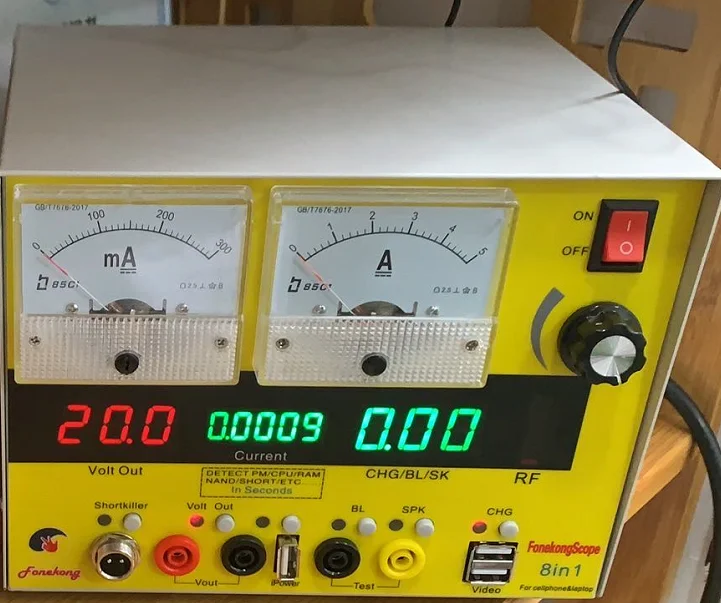
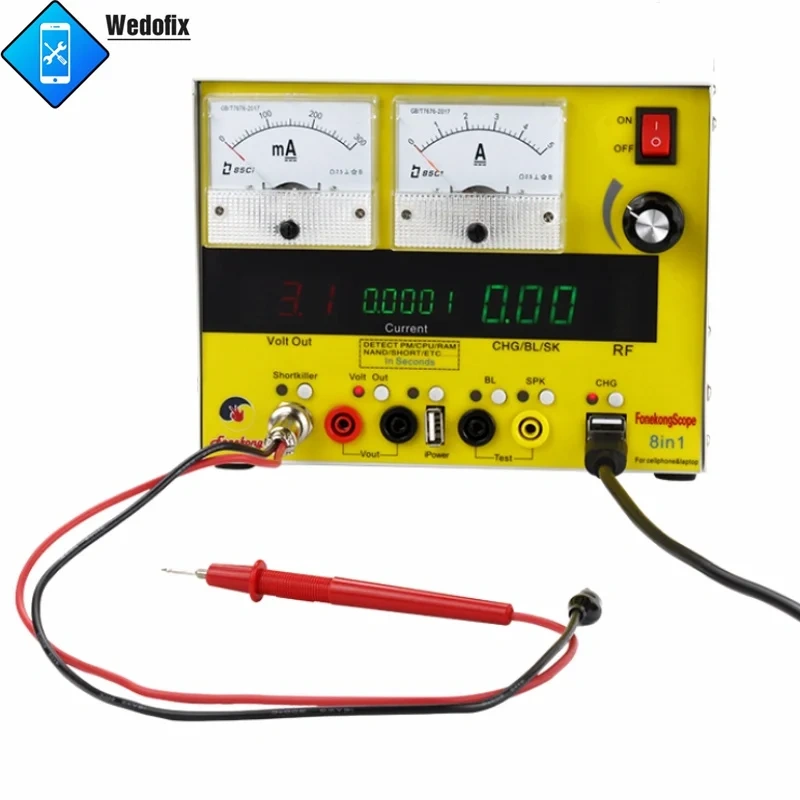
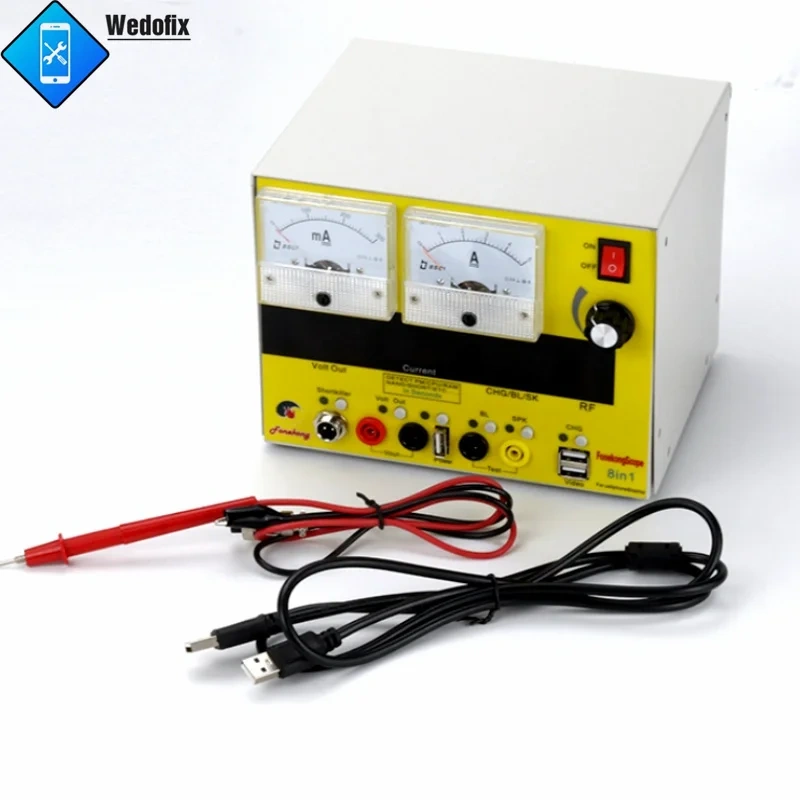
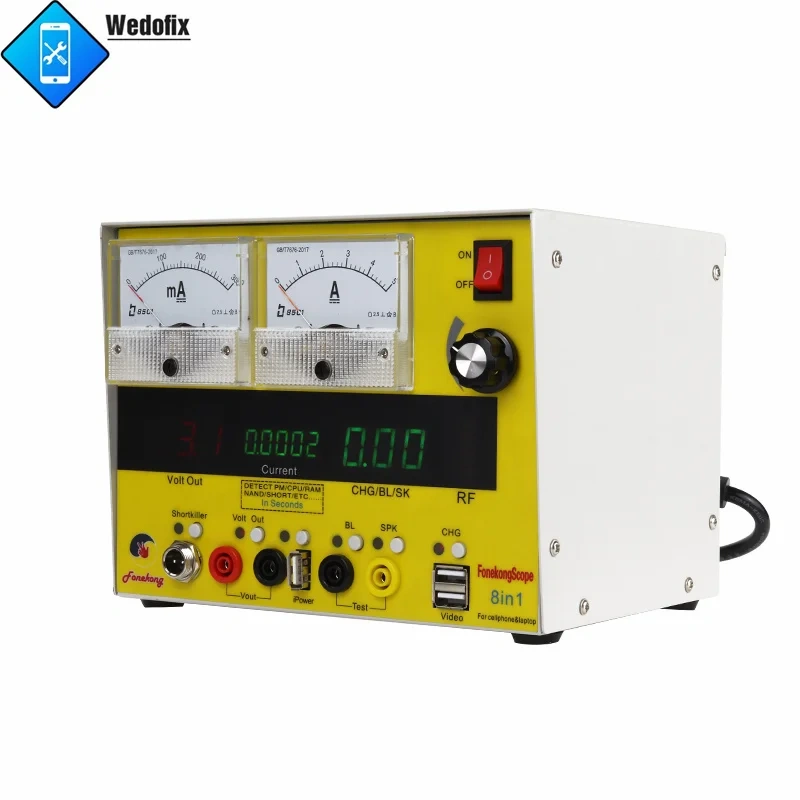
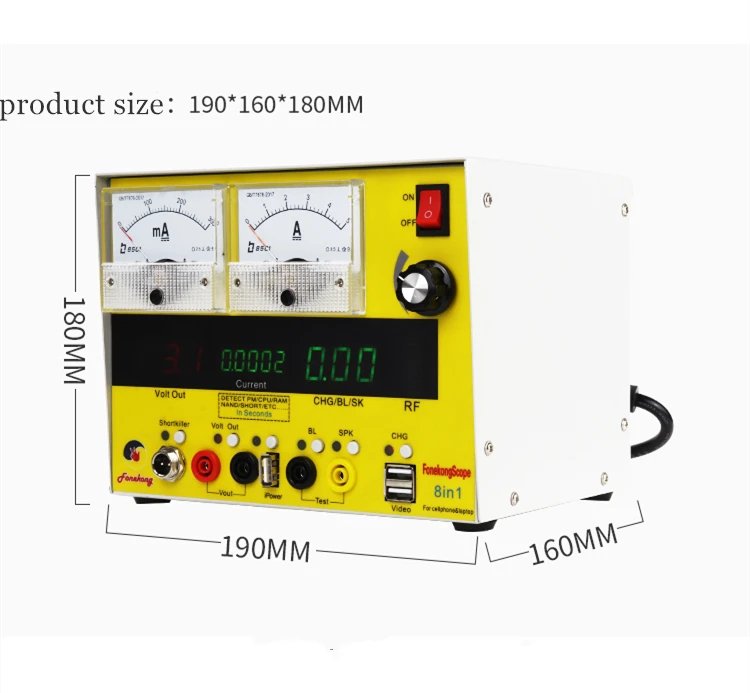
Fonekong 8 in 1 DC Power Supply Phone Voltage Current Detect Tool Short-circuit Diagnostic Tester One-button Boot On for Mobile Phone Repair


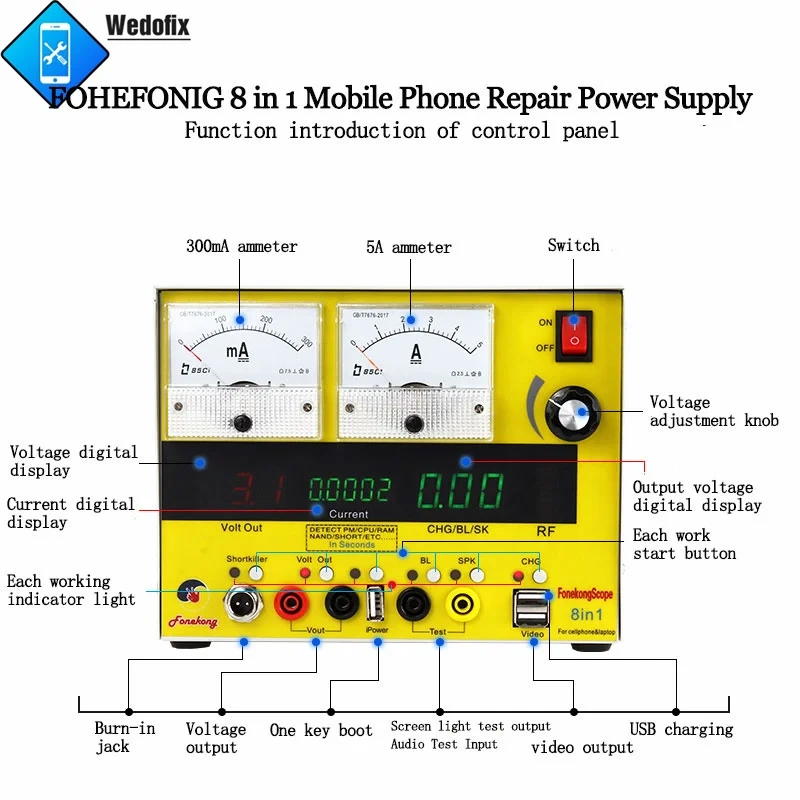
Function instructions:

1. Adjustable regulated power supply instructions:

Turn on the main power supply, adjust the voltage knob to the required voltage. The Volt Out indicator light is on, indicating that the black and red jacks have voltage output. If the Shortkiller indicator light and the Volt Out indicator light are not on at the same time when the current is increased for a long time, it is a high temperature protection state. After cooling down will be restored automatically.

2. Instructions for short circuit repair:

Press the start button, the working indicator light is on, indicating that the burn-in function is activated, and the voltage is adjusted to a reasonable voltage. When the burn-in is a digital current display, there will be a burn-in current display. If the voltage exceeds 4.2V, there will be an alarm prompt, but the voltage output will not be affected.

3. One-button boot instructions:

Work in the Volt Out state, plug in the one-button power-on dedicated cable, press the start button, the mobile phone motherboard can be turned on, one-key power-on is recommended for optional purchase.

4. Screen light test instructions:

Press the BL button (start button) and the indicator light is on, the output voltage display shows a voltage of about 30V, the test interface is inserted into the test lead, and the measurement screen light will automatically reduce the voltage to a suitable working voltage, the screen light is on, and can also be used as a voltage within 30V. The voltage regulator value test of the Zener tube outputs a constant current of 5mA.

5. Sound screen test instructions:

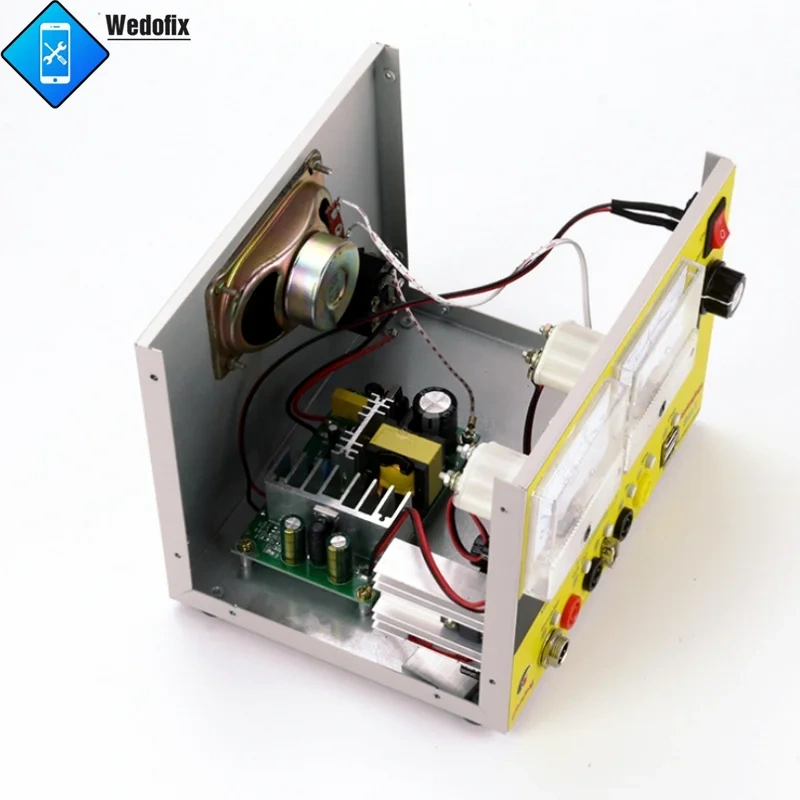
Press the SPK button (start button) and the working indicator light is on. After the test hole is inserted into the test lead, there will be a certain amount of noise. The speaker in the machine will make a sound, if there is a voltage charging display at this point

The voltage value at this point will be displayed.

6. Instructions for charging current test:

The CHG indicator light is on, the charging hole can charge the mobile phone, and the display screen displays the charging current at the same time, the mobile phone can also be charged in the state of screen light test and sound screen test, but the display screen does not display the charging current.

7. Teaching video instructions:

Link to the computer to watch the internal teaching video.

8. Instructions for use of field strength indication: used to test the transmitting power of mobile phones


CUSTOMER REVIEWS

0.0 0 Reviews
Write a review
Frequently Bought Together
more
Frequently Bought Together
$0.00 $0.00
Please choose options.Back to top
Close
$0.00 $0.00